In this story
512GB of unified memory is the kind of number that makes you stop scrolling on the configuration page. Apple's current Mac Studio specs do list this option, but the official update from September 11 includes a separate note: the 512GB version won't arrive until late October. [2] For anyone working against a deadline, that sentence matters just as much as the spec numbers. It describes a product release schedule, not a delivery promise for any particular order. The more useful question to ask first is: which specific task makes the wait necessary? Don't decide on the top configuration and then go looking for a reason to justify it.
Large capacity still needs a job description
Capacity expands the range of workloads you can attempt, but a spec sheet cannot tell you how fast a particular model or project will actually run on this machine. This article contains no hands-on test data. When discussing 512GB, you need to examine capacity, runtime environment, and performance as three separate things. Mistaking one condition being met for the entire workflow being validated can send an expensive purchase off course from the very first step.
If your goal involves local models, start by pinning down the specific model version, precision level, context requirements, and runtime framework. Then check the memory requirements and actual test results for that environment. A model name or parameter count alone is not enough to reach a configuration conclusion. Different ways of using the same model cannot be treated as a single requirement either. Ideally, your purchase list should include reproducible test conditions, turning "I want to run large models" into a verifiable work target.
Apple lists the M5 Ultra memory bandwidth at 1.2TB/s. [1] This is a hardware specification, not an answer to how many tokens per second you will get. Taking a ratio between two bandwidth numbers does not mean your project will run faster by the same factor. You also need to check software support, task type, and parallel processing methods. Without corresponding tests, leave performance as an item to be verified later. Don't use an impressive number to fill in a blank you haven't actually measured.
The nominal capacity should also not be treated as space a model can claim exclusively. The system and other tasks need resources too. The actual allocatable amount and framework limitations should be verified in the target environment. You can leave headroom in your budget, but how much headroom needs a basis. Don't write "has 512GB" as a guarantee that some unverified model will definitely fit and definitely run properly.
Memory options and chip configurations come as a package
Mac Studio offers two configuration lines: M5 Max and M5 Ultra. [1] When comparing them, start by checking which options actually exist. Configurations are not a string of numbers you can freely mix and match. The conditions linking memory and chip options affect the final price. What you should really be comparing are complete configurations that meet the same work objective.
M5 Max starts at 36GB of unified memory and can be configured up to 48GB, 64GB, or 128GB. Note that the 128GB option has a prerequisite: you must select the higher-tier M5 Max, the version with an 18-core CPU and 40-core GPU. [1] If you choose the lower-tier Max with a 32-core GPU, the memory ceiling gets capped. Apple has tied large memory to a higher GPU core count here. You cannot get large memory without also getting more GPU. For some people, this pairing works out perfectly. For others, it means paying for compute power they won't use.
M5 Ultra starts at 96GB, then jumps to 256GB, and finally to 512GB. Again, 512GB is not a standalone option. It must be paired with the corresponding Ultra configuration featuring a 36-core CPU and 80-core GPU. [1] You cannot buy a version with a slightly weaker CPU, fewer GPU cores, but 512GB of memory. The bundling logic is the same as with the Max, just at a higher price baseline.
Next, you can create a small verification record. Use a representative project to log your current machine's memory pressure, task duration, and stutter points. Save the software version and concurrently running applications alongside it. This can help locate the problem, but it does not directly translate into a formula like "green means pick 128GB, red means buy 512GB." If you plan to switch to a different architecture, different capacity, or different software backend, corresponding verification is still needed. This gives the upgrade a concrete test to pass.
The front port difference is more practical than it looks
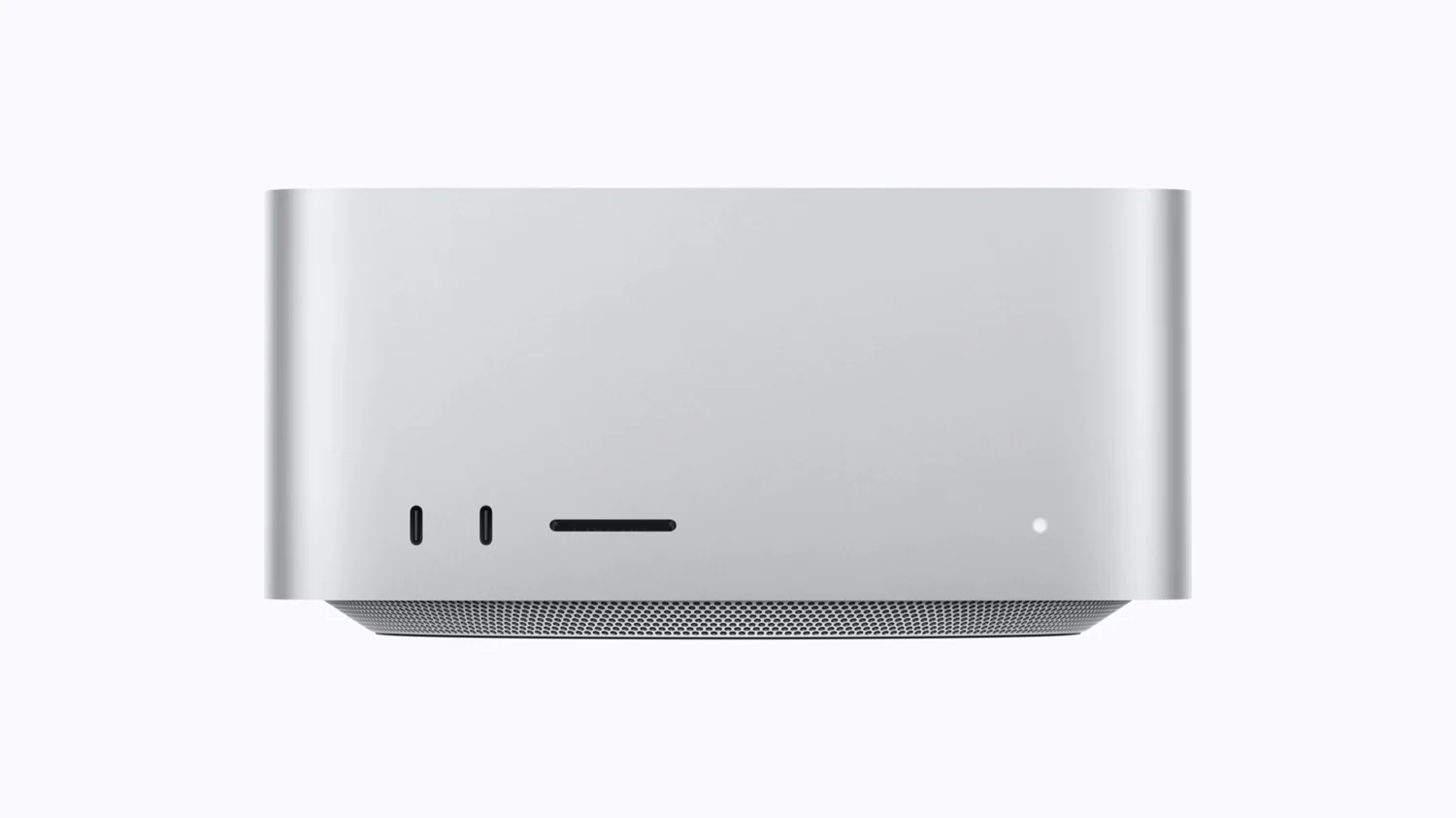
Mac Studio has a row of ports on the front, and there is an easily overlooked difference here between the M5 Max and M5 Ultra. The M5 Max has two USB-C ports on the front with a speed of 10Gb/s. The M5 Ultra has two Thunderbolt 5 ports on the front with speeds up to 120Gb/s. [1]
If you habitually plug a high-speed external drive into the front, this difference is worth noting. However, both models have four Thunderbolt 5 ports on the back. [1] So a lower front speed does not mean the Max lacks high-speed connectivity, and it certainly does not constitute a sufficient reason to upgrade to the Ultra on its own. First, check whether your desk layout and cable routing can solve the problem. The port's rated maximum of 120Gb/s is also not the sustained throughput you will get from a disk. Final performance still depends on the device, cable, shared link, and specific operation.
The SDXC card slot is present on both models, UHS-II spec. [1] For photographers and videographers, the convenience of this slot means you don't have to dig through your bag for a card reader. Insert the media and import directly, eliminating a step. This is not a performance issue. It is a small friction that occurs daily in a workflow. Reducing friction has value in itself.
Additionally, if you need to connect multiple external displays, the two models differ in support. M5 Max supports up to five external displays over any combination of Thunderbolt and HDMI ports. Four of them can run at 6K 60Hz or 4K 165Hz, with a fifth over HDMI at 5K 60Hz. It can also be configured as two displays at 8K 60Hz or 5K 120Hz or 4K 240Hz, plus a third over HDMI at 5K 60Hz. M5 Ultra supports up to eight external displays. All eight can run at 6K 60Hz or 4K 165Hz, or four at 8K 60Hz or 5K 120Hz or 4K 240Hz. [1] If your current workstation already has every port filled with screens, or you have plans to add more, this difference is worth checking against your actual port combination.
Who should wait until late October
Whether waiting until late October makes sense starts with calculating the cost of time. When are your existing projects due? Can your current machine hold out until delivery and migration are complete? Is there an acceptable interim solution? These questions are more concrete than a vague "wait a bit longer and it'll be stronger." The official release date also does not equal the promised delivery date for your region, channel, and specific configuration. Anyone with a firm deadline should reconfirm the order at the time of purchase, not copy the press release date directly into the project plan. [2]
The strongest reason to wait is having already verified that currently available configurations cannot meet your target, and that the complete solution corresponding to 512GB is genuinely expected to resolve the limitation. Evidence is still needed here. It could be explicit capacity requirements from the target software, or reproducible task records in a similar environment, but it cannot just be a job title. Working in AI research does not automatically require 512GB. Editing video does not automatically rule out large memory needs. The details of the task determine the value of this expenditure.
If you currently cannot specify which exact task requires this tier of capacity, keep it as a candidate for now. Not placing an immediate order does not mean rejecting large memory. It means avoiding a situation where acquiring the device becomes the starting point for finding it something to do. You can also set a clear review checkpoint, deciding later once target software support, specific configuration pricing, and independent testing are more complete. Waiting with a target prevents it from becoming an endless chase for the next product.
Cloud or other workstations can also be included in the comparison, but don't assume one is necessarily cheaper. Calculate the actual quoted price, expected runtime, storage and data transfer, environment maintenance, and data requirements together. Local machines have configuration and maintenance costs too. Cloud services cannot be calculated using just the hourly sticker price. The choice may differ for short-term tasks versus long-term work. Fix a usage period first, then compare total costs. This is more useful than directly comparing prices using two completely different billing units.
Software compatibility should be a separate checklist item. Do the frameworks, plugins, and libraries you depend on support the target system? Can key functions run? Are there viable alternatives if problems arise? You need to check the documentation and tests for specific versions. Do not assume the toolchain can migrate seamlessly just because the chip has more memory. Capacity and compatibility are two things that need to be delivered separately.
General video editors especially need to watch out for one trap. Apple lists hardware acceleration for H.264, HEVC, ProRes, and ProRes RAW, four ProRes encode and decode engines, plus AV1 decode. [1] The spec sheet looks reassuring. But if the projects you are currently editing play back smoothly on your existing machine and export times are within an acceptable range, the benefit of switching to Ultra may be smaller than you imagine. The bottleneck might not be the chip. It could be storage speed, network bandwidth, or the workflow itself. Run an actual project first, find the real choke point, then decide whether to upgrade. This is far more reliable than ordering based on a spec sheet.
Back on the configuration page, 512GB should enter the shopping cart alongside a clearly defined task. If the requirement is confirmed, and the configuration conditions, software, and waiting period are all acceptable, it deserves serious consideration. If the key questions remain unchecked, keep the quote and the to-be-verified list for now. The machine should be able to complete the work you wrote down before ordering it.
Mentioned in this story
These links lead to official or retailer pages. We currently earn no affiliate commission from them. Check the destination for regional availability, configuration and pricing.
Mac Studio View official specifications ↗