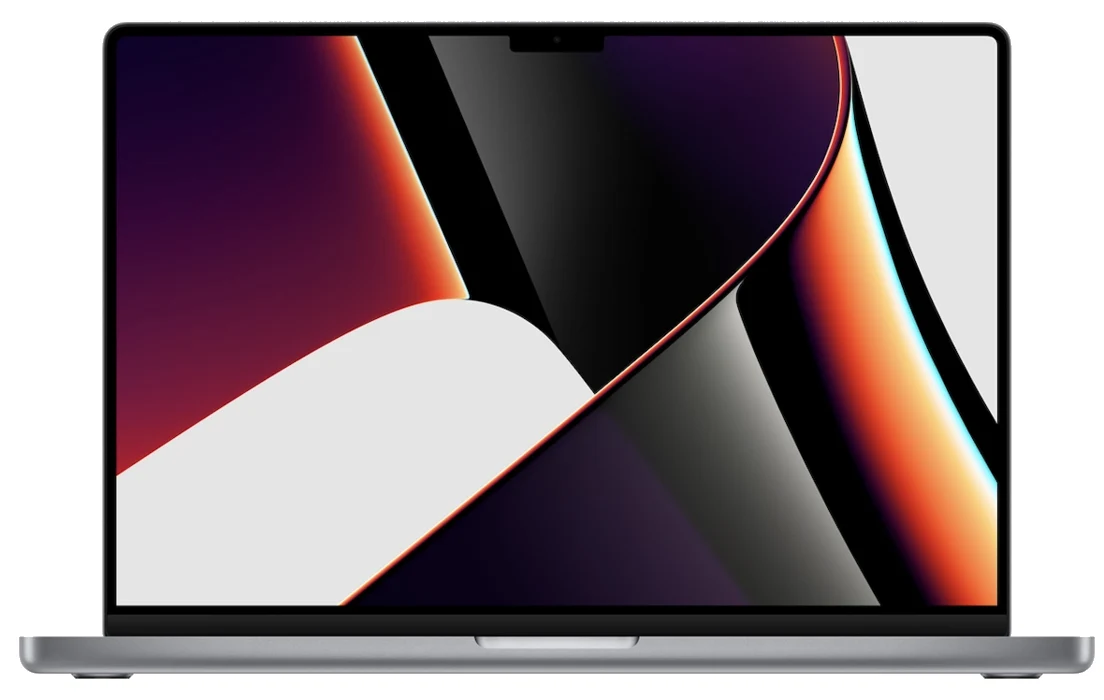
If you are looking at a 2021 16-inch MacBook Pro with M1 Max in 2026, you are probably not chasing benchmark scores. More likely, your workflow demands a high-quality display, reliable ports, and hardware acceleration that handles professional codecs directly.
What makes this generation worth revisiting is the dual ProRes encode and decode engines plus the dual video encode engines built into the M1 Max. The hardware handles H.264, HEVC, ProRes, and ProRes RAW at a silicon level, so the CPU and GPU do not carry the full burden. Engine counts do not translate directly into export times. Check whether your editing software uses hardware acceleration for the selected codec.
Ports: Specs matter more than the shape
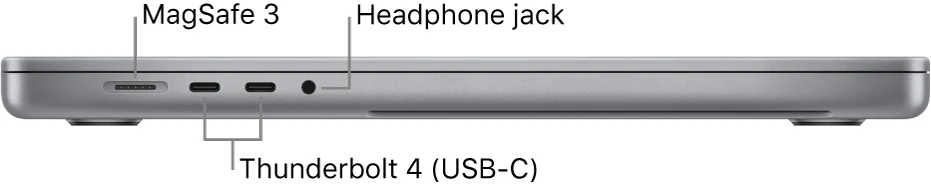
The port layout on this machine still holds up. Three Thunderbolt 4 ports, one HDMI, one SDXC slot, and MagSafe 3 cover most scenarios where a photographer or editor wants to leave the dongle bag behind. The SDXC slot can ingest footage from compatible SD cards. The HDMI port connects to a field monitor or client display without an adapter. The three Thunderbolt 4 ports handle storage arrays and external monitors simultaneously.
One detail is easy to miss. The HDMI port on this machine officially supports up to 4K at 60Hz. If you have grown accustomed to high-refresh-rate displays and assume any HDMI port can drive 4K at 120Hz or higher, this one will disappoint. For higher refresh rates, check the exact computer, display, and cable combination. The Thunderbolt 4 label alone does not guarantee the mode you need.
The M1 Max also offers more display headroom than the M1 Pro. The M1 Pro supports up to two 6K 60Hz displays. The M1 Max supports up to three 6K displays plus one 4K 60Hz display. For a multi-screen editing desk, that difference is more tangible than CPU core counts.
Check memory-card compatibility before relying on the slot. For a display with only DisplayPort or USB-C inputs, check whether a suitable cable can connect it to the Mac's Thunderbolt ports. USB-A peripherals still need an adapter.
The display and the chassis: Read the fine print
The 16.2-inch Liquid Retina XDR display with 3456×2234 resolution and ProMotion 120Hz adaptive refresh rate remains a strong panel by current standards.
The M1 Max model weighs 2.2 kg officially. A 16-inch machine is not light, but if you need a large screen for on-set review or rough cuts, this weight is reasonable for the class. Within the 2021 M1 lineup, the 64GB unified memory option is exclusive to the M1 Max; the M1 Pro tops out at 32GB. That distinction matters if you run multiple large project files simultaneously, but do not equate 64GB with smooth performance on any AI model. Memory capacity is only one variable.
If your current machine handles your workflow without friction, you do not need to switch for the ports. The M1 Max media engine and I/O make the most sense for someone whose work naturally flows between shooting and post-production.