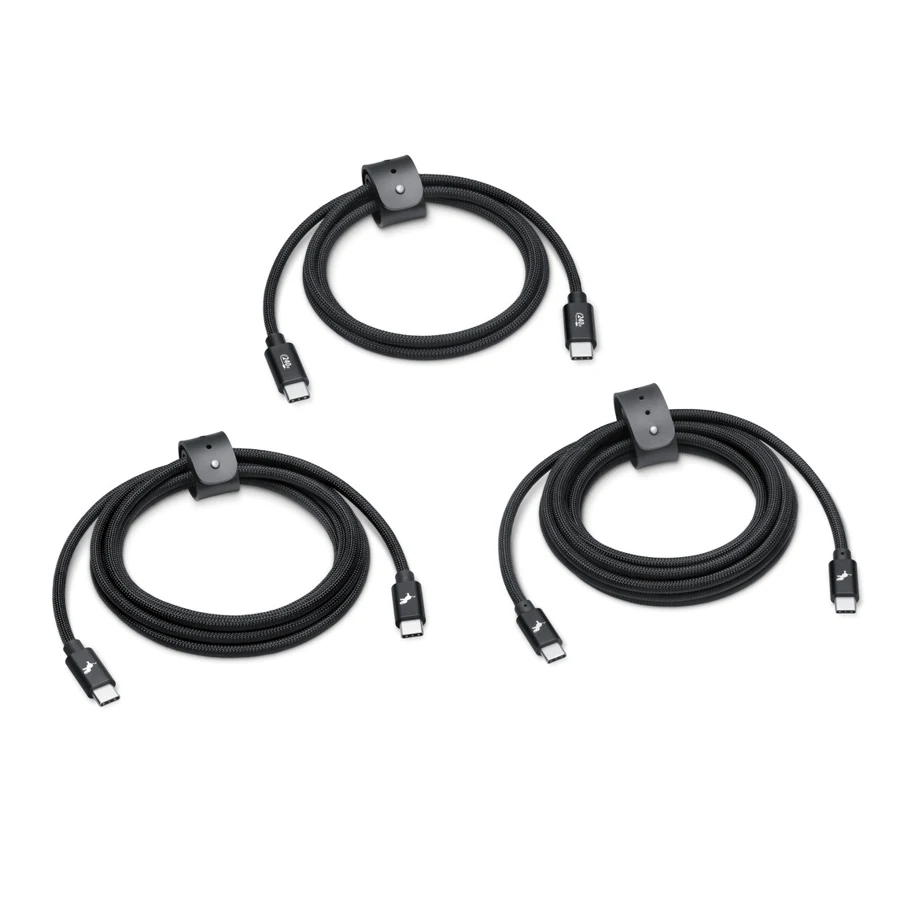
A charging cable can look like the obvious upgrade: 240W on the package, a braided finish, three useful lengths. Then you plug it into external storage and discover the power number never promised a fast data connection.
The Nimble PowerKnit FLEX pack is a concrete example. Apple’s listing separates its 240W power capability from its USB 2.0 data rating of 480Mbps. Those specifications serve different jobs.
Choose it for reach and charging, not an SSD speed upgrade
The pack contains 1m, 2m and 3m cables. That can be useful for a desk, a socket farther from a chair, or a travel bag. The US listing checked on September 7, 2026 showed $59.95 for the three-cable package, so compare it against what you actually need rather than treating it as the price of a single cable.
For frequent large-file transfers, select around the data connection instead. Check the computer port, storage device and cable together. A cable cannot make the slowest part of that chain faster.
Power and data labels belong on separate lines
Write your requirement as two entries: the power capability needed for charging, and the data capability needed for your workflow. Add video as a third entry when a display is involved. Leaving an entry blank is better than assuming the most prominent number covers everything.
USB-IF’s current cable guidance distinguishes power markings from data-rate markings. Its USB 2.0 exception is another reason to read the actual specification instead of relying only on a logo or connector shape.
The purchase to avoid
Do not replace a working charging cable with another charging-focused cable to solve a storage-speed problem. First establish that the cable is the limit, then buy the missing capability. If all you need is charging at different distances, the same bundle may be perfectly reasonable. The use case makes the recommendation.
Mentioned in this story
These links lead to official or retailer pages. We currently earn no affiliate commission from them. Check the destination for regional availability, configuration and pricing.
Nimble PowerKnit FLEX View at retailer ↗